6:40aBefore you load the trailer1/3
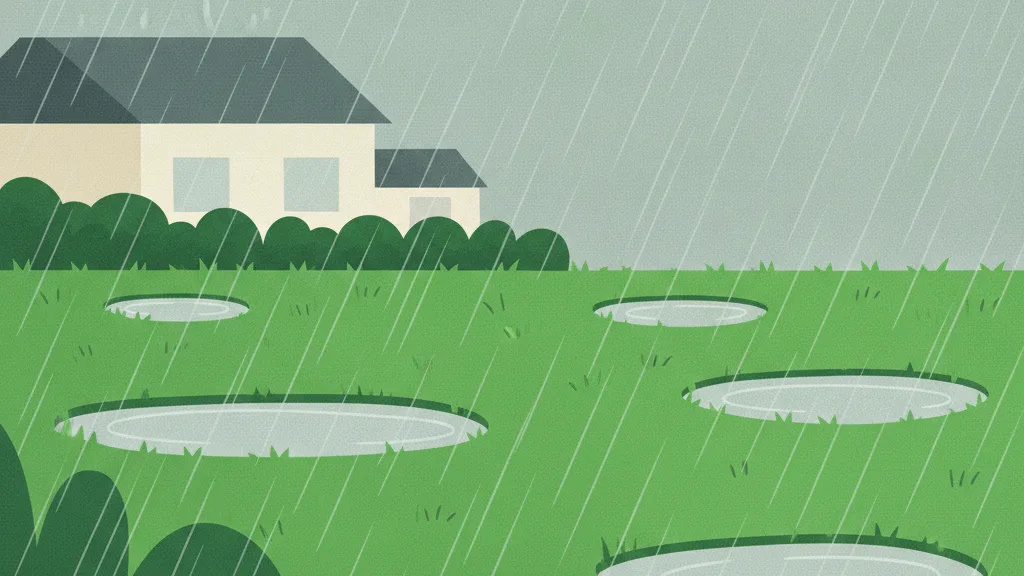
An inch and a half fell Tuesday night. Eleven of today’s fourteen drained fine. Three sit on clay and are still holding water.
14 stops, 3 holding water
Lawn care software for one or two trucks. It times every visit so you can see which yards aren't paying, and it knows how much rain has fallen on each lawn since you last cut it. Free for your first ten.
It times every visit, and tracks the rain on each lawn since you last cut it. Free for your first ten.
Free for your first 10 yards. No card, and it doesn't expire.
$29 a month flat past that, however many people you put on the truck.
Sign in with Google, no new password to remember.

The actual screens
Not mock-ups. These are captures of the running app, in the order you meet them.
01
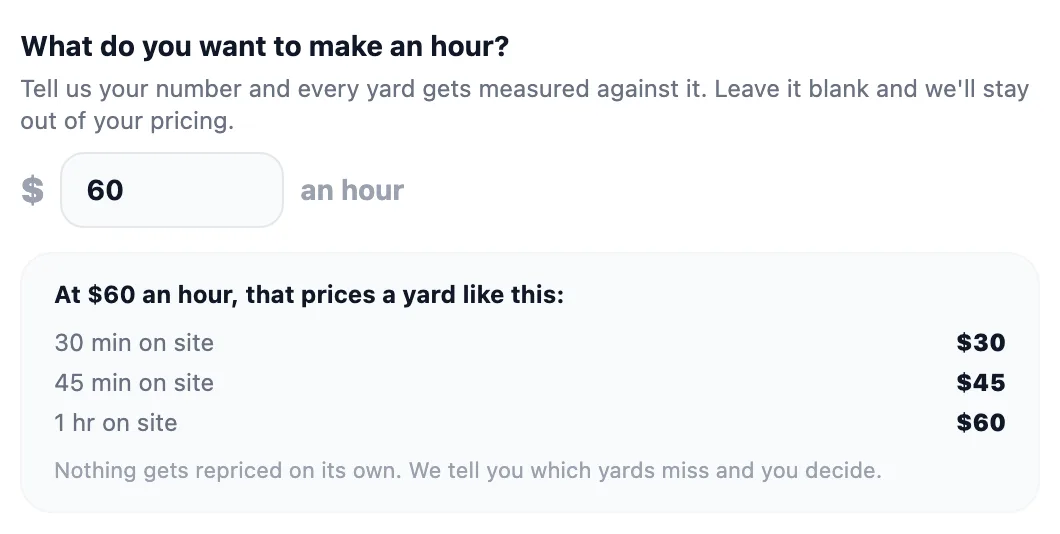
One number, typed once. It prices a yard against that straight away, before a single visit has been timed - which is when the question actually gets asked.
02
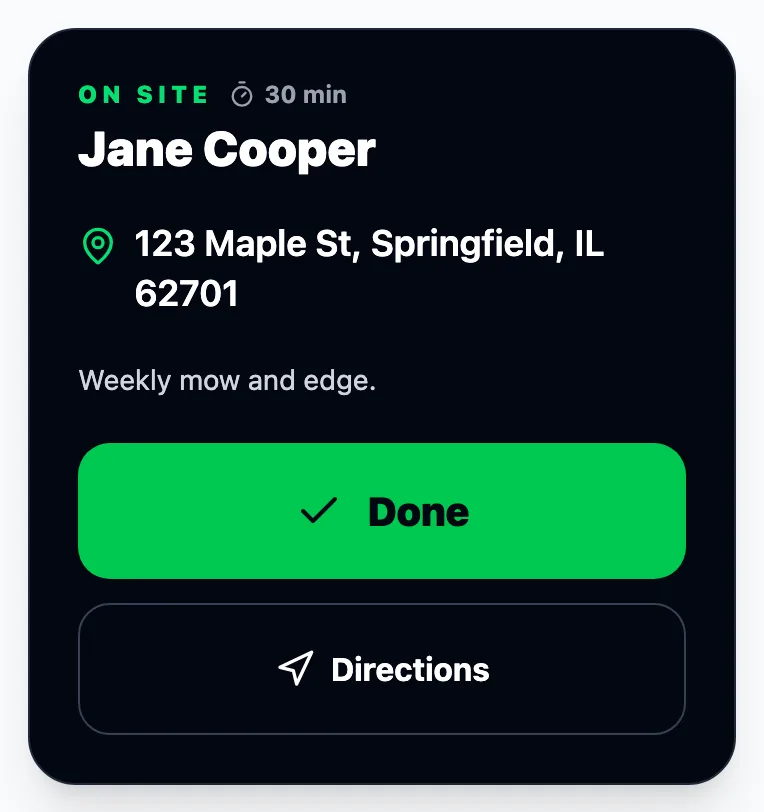
The crew taps Start and Done and the clock runs where they can see it. On your own screen the minutes are sitting in the completion, and if nobody tapped anything you type them. Either way it is not a timesheet and there is nothing to set up.
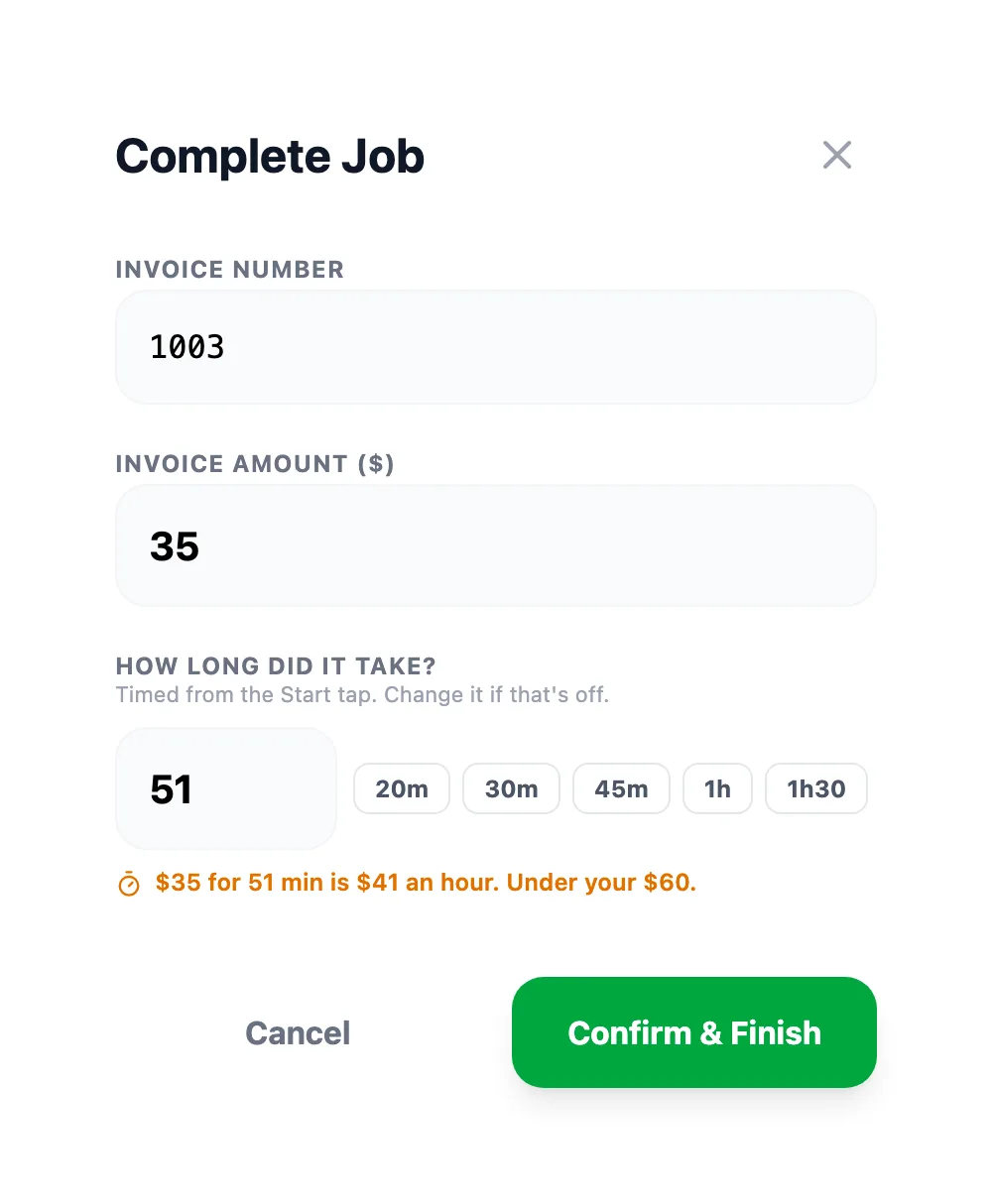
03
After a few visits it has enough to be worth saying: what this one really pays an hour, and what to charge instead. It never changes a price on its own. You press the button or you don't.
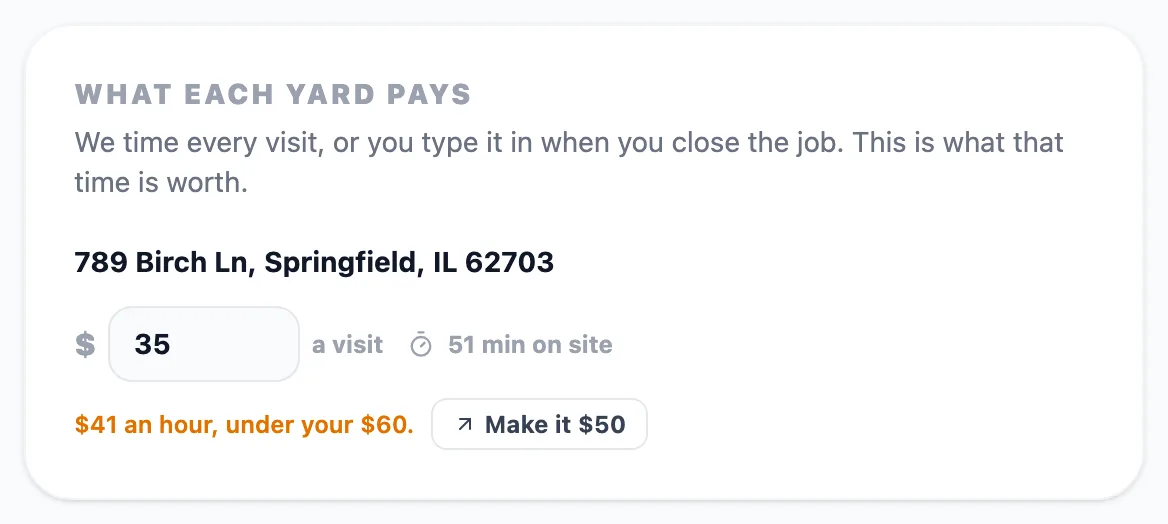
Plenty of apps will hold your schedule. These are the parts that quietly cost you money.
The parts that quietly cost you money.
Problem 1
Every app can show you a calendar. None of them tell you which lawns actually grew, so Wednesday is a guess and a morning of phone calls.
Solution
Since the last time you cut it, not a forecast for the region. When a day is a write-off, one tap moves it and emails everyone on it.
How it decidesProblem 2
You quoted it two summers ago off the top of your head. Nothing since has told you it was wrong, and it's been wrong every week since.
Solution
The crew taps start and done. After a few visits we tell you what that yard is really paying you an hour, and you decide what to do about it.
Problem 3
Free usually means you do the work: draw the zones, pick the days, keep it all straight when somebody new rings up on a street you already serve.
Solution
Three yards near each other on the same day is a run. It notices, and offers that day to the next customer who calls from that street.
What it looks like on a Thursday route
A day in the life of a two-person crew using LawnMow IT.
The crew is a composite. The workflow is exactly how it ships.
An inch and a half fell Tuesday night. Eleven of today’s fourteen drained fine. Three sit on clay and are still holding water.
14 stops, 3 holding water
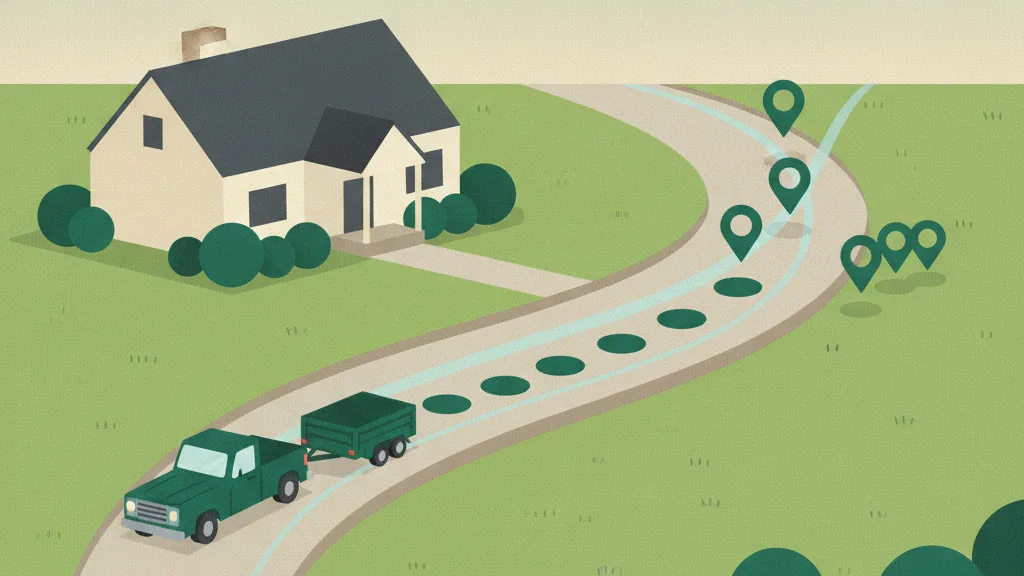
Those three move to Friday and the people on them get an email before the coffee is finished. Nobody rings to ask.
3 moved, 3 told
Eleven cut, every invoice already sent. And the number nobody else gives you: the day paid $58 an hour, with one yard on Harper Ln dragging it down.
$58 an hour
The admin happens in the background, so the end of the day is the end of the day.
Set each yard's cadence once and the calendar fills itself. The route planner orders the day's stops so you're not crossing town twice.
Send professional invoices instantly. Every invoice lands in the customer's portal next to the photos from that visit, so nothing gets lost between the job and getting paid.
Every customer gets a private link to their own service history, invoices, and before/after photos - no login required.
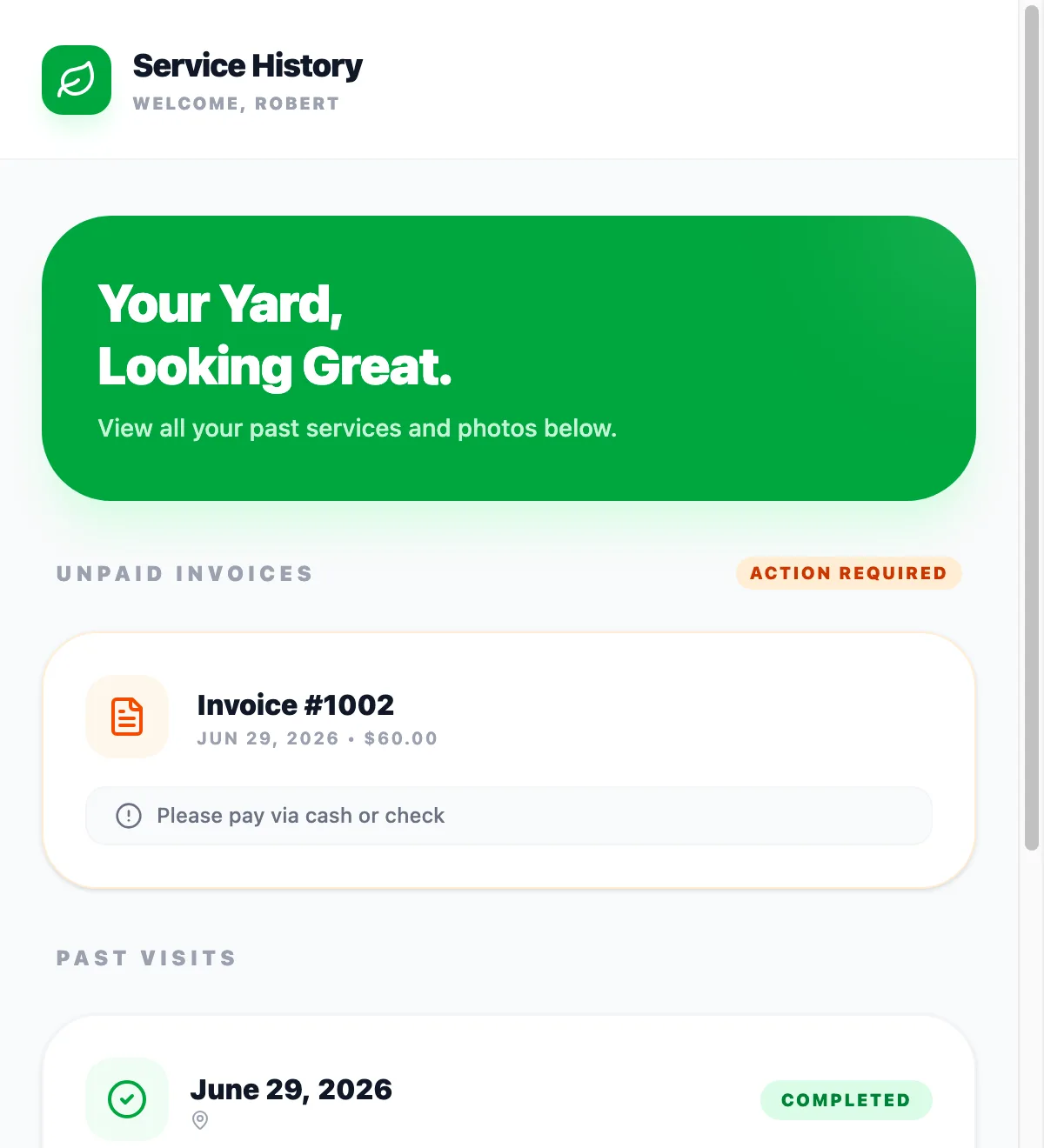
Everything in one place
Lawn care business software, piece by piece. Each one is built for one or two trucks, and none of them costs extra.
Set each yard's cadence once and the calendar fills itself. Rain is measured on every yard since you last cut it, so a wet Wednesday is a list, not a guess.
What happens when it rainsFinish the job and the invoice is one tap away, in the customer's portal next to the photos. Bill the whole week in one action.
Free invoice templateThe day's stops in an order that doesn't cross town twice, and the crew sees the same order on their phone. It tells you whether today finishes before dark.
The questions it answersA quote request page for new customers, and after three timed visits a price suggestion for the yards that stopped paying your rate.
Work out what to chargeEvery customer, every yard, the service history, the photos and the invoices in one place, with a private portal link so they can see it too.
See a customer's portalCrews sign in on their own phones, tap Start and Done, take the photos and log the miles. No per-seat fee, however many of them there are.
Built for landscapers tooTHE TWO THINGS EVERY OPERATOR ASKS
You don't need to be. If you can text a photo, you can run LawnMow IT. Set your addresses and cadence once and the schedule builds itself. After that it's mostly marking jobs done.
It's your list, not ours. Cancel anytime, and if you want your data out, email us and we'll send it to you. No exit fee.
Those are the two you ask before signing up. There are about six more you'll ask every week. See what it says to each
No forms, no setup call.
Weekly, biweekly, whatever each yard needs.
Ordered stops, invoices ready to send when you're done.
It started as a favor for one friend running his own lawn care company - a tool to plan an efficient route, send a real invoice instead of a handwritten receipt, and track mileage for taxes. It grew from there into what LawnMow IT is today, and it's still built by a small family software shop in Colorado.
Read the full storyEverything you need to know about scheduling, invoicing, and running LawnMow IT day to day.
Free for 10 yards, no card. $29 a month flat past that, no per-seat fees.